


Time you can
actually see.
Your brain can't feel time passing. Looptimer turns time into a progress bar of light. You can read it at a glance from across the room.
The Basics
What is a Looptimer?
Looptimer is a visual timer that turns time into a band of light you can see. Set any time on Looptimer, and it will start counting down. As time counts down, the light makes one lap around the face, like a progress bar. Halfway around means half your time is gone. No mental math, ever.
Your body has senses for light, sound, and touch. Time is the one thing it can't sense, so your brain guesses. That's why a "five-minute" task eats an hour, and why "we're leaving in 10 minutes" means nothing to a kid.
And the idea is not new. People have used visual timers for centuries, and you use them every day, whether you realize it or not. Looptimer is that same trusted idea, built specifically to make seeing time easier.
Looptimer is a visual timer that turns time into a band of light you can see. Set any time on Looptimer, and it will start counting down. As time counts down, the light makes one lap around the face, like a progress bar. Halfway around means half your time is gone. No mental math, ever.
Examples of visual timers
Types of visual timers
You're already more familiar with them than you think.
An hourglass
You already understand visual timers. Sand falling is time you can see, and the idea is 700 years old.
A loading bar
The progress bar on your screen is a visual timer. You glance at it and instantly know how much remains.
Looptimer
Same idea, built for daily life: a band of light that shows your time at a glance, across the room.
How It Works
It works simply: three buttons.
Minutes, Seconds, Start/Stop. Set any time from 00:01 to 99:59. As time counts down, the light does the rest.
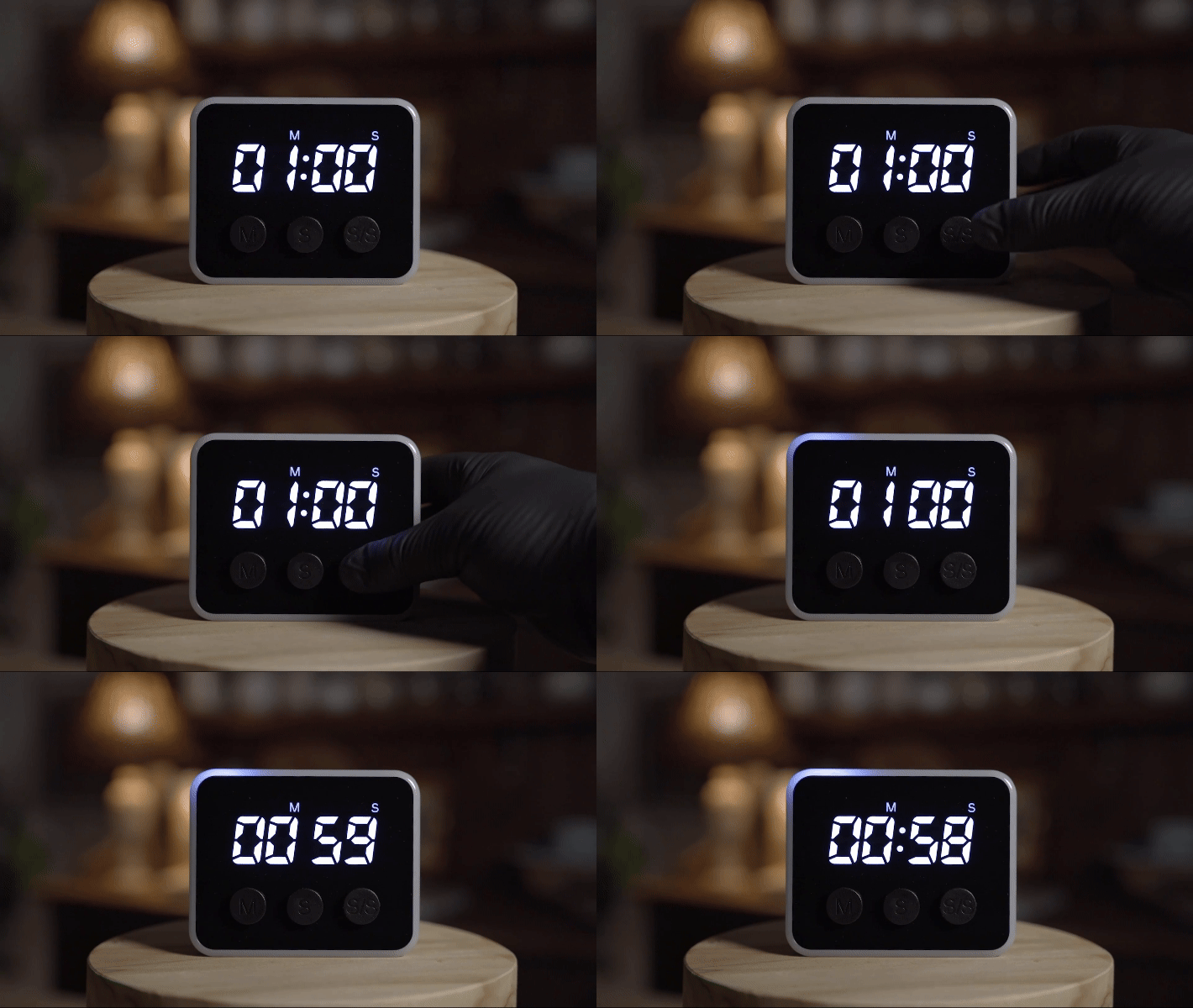
1Start your task
Starting is the hardest part. Set the time and start your task. No phone apps, no digital rabbit hole. The light starts moving, and so do you.
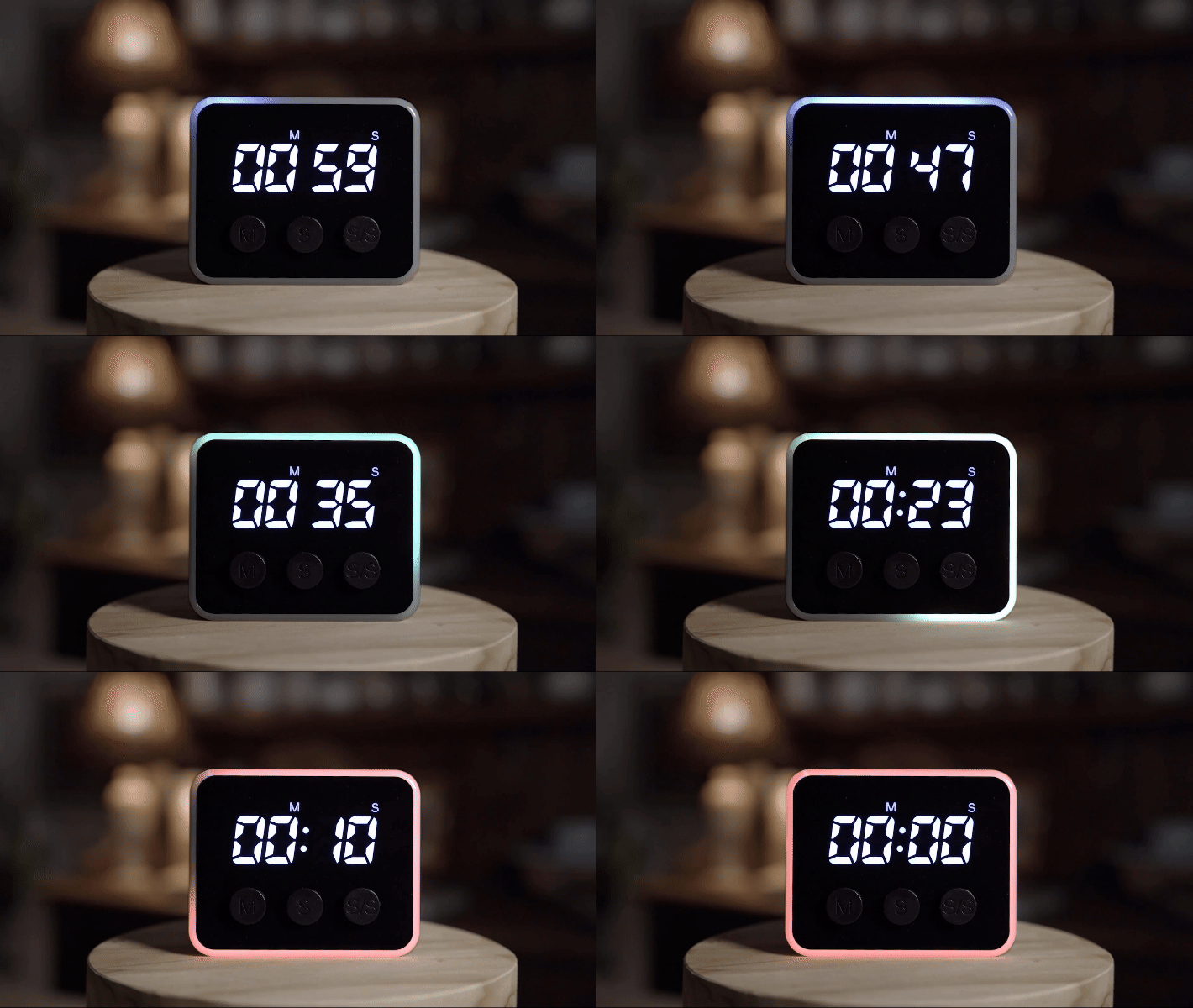
2See your progress
The light makes one full loop no matter what time you set, so halfway around means halfway done. Even kids who can't tell time yet can see it and understand. A glance shows your pacing and how much time remains, and you can even turn the numbers off for a stress-free countdown.
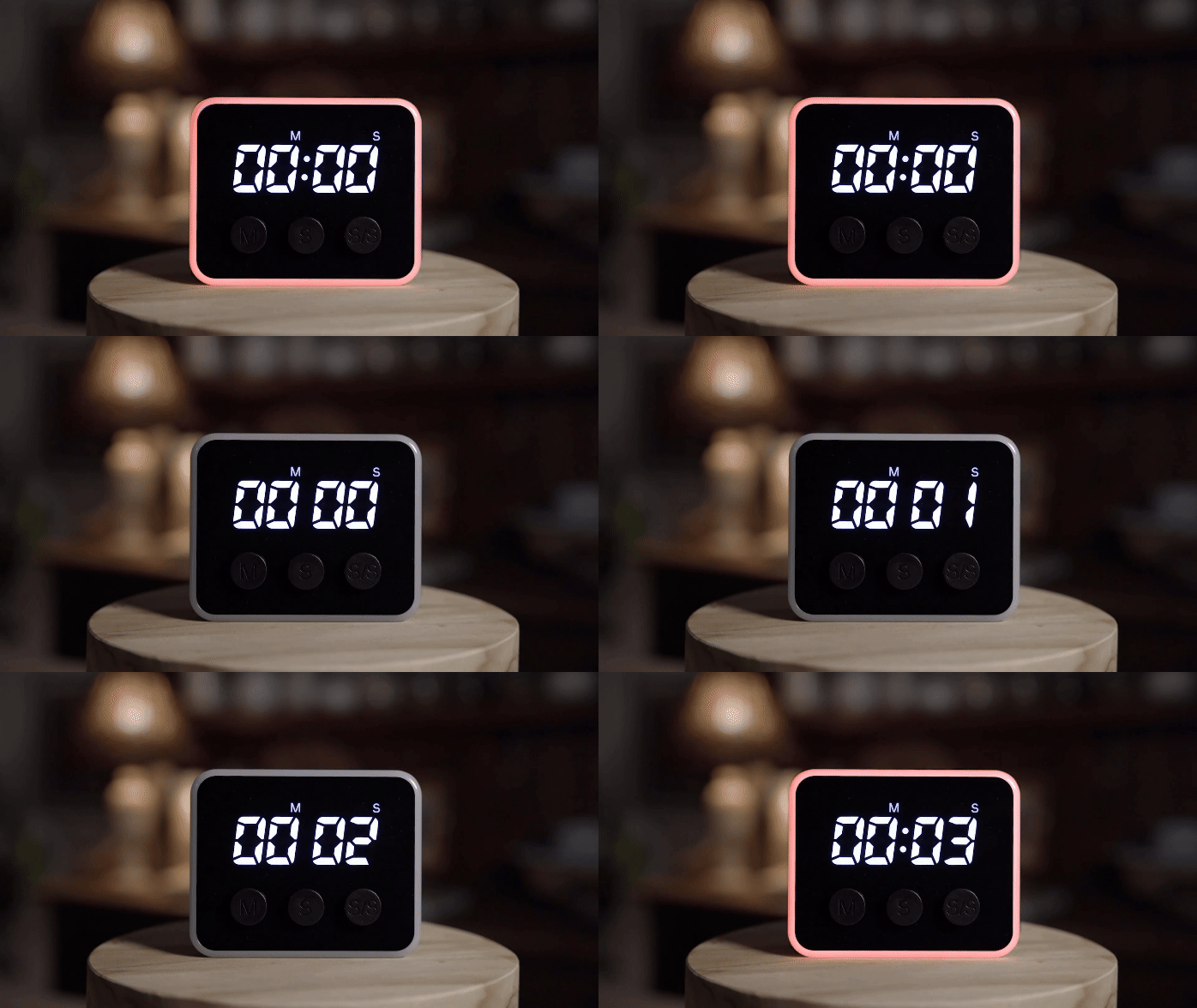
3Transition to what's next
When time ends, the face flashes and starts counting up, so you know how long it's been. It eases you out of hyperfocus and into the next thing. Looptimer is the only timer that does this.
The Full Picture
Hear it from the founder
Quick but in-depth: what Looptimer is, who it's for, and how you'd use it.
Honest Question
"Can't I just use my phone?"
Yeah, you can. But phones are a portal to procrastination, and they are designed to steal your attention. You pick up your phone, and the next thing you know, it's 20 minutes later and you've been doomscrolling.
Yeah, you can. But phones are built to steal your attention. One quick check turns into 20 minutes of doomscrolling.
A visual timer does one job and stays out of your way.
And some places a phone just shouldn't be out: a kid's homework table, a classroom, test day, the wind-down hour before bed.
What the research actually shows
Published, peer-reviewed research. Not our opinions.
How long it takes to fully return to a task after one interruption. A "quick check" is never quick.
People scored worse on focus and memory tests when their phone was simply in the room. The closer the phone, the worse the score.
Part of your mind stays on whatever you just looked at. Psychologists call the leftover "attention residue," and it drags down the task in front of you.
Setting a timer on your phone
- Pick up the phone.
- The lock screen has other plans: three notifications.
- "Just a quick look."
- 22 minutes later: wait, what was I doing?
Setting a Looptimer
- Press Minutes. Press Start.
- Eyes back on your work.
- The light keeps your time, silently, in view.
- Easy to see, easy to understand, stress-free time management.
Who Looptimer Is For
If managing time is a struggle, Looptimer will help.
Looptimer started as a tool for brains that struggle with understanding and managing time. Turns out that's a lot of us.

ADHD & neurodivergent adults
Especially the late-diagnosed. A lot of us found out in our 30s and 40s that there was a name for this all along. Time blindness is real. Put time outside your head so you stop guessing and start finishing. Built by someone with ADHD, for the same.

Parents & kids
Kids can't feel what "five more minutes" means, but they can see it. Smoother routines, screen time, and transitions, with the timer as the neutral referee.

Teachers & classrooms
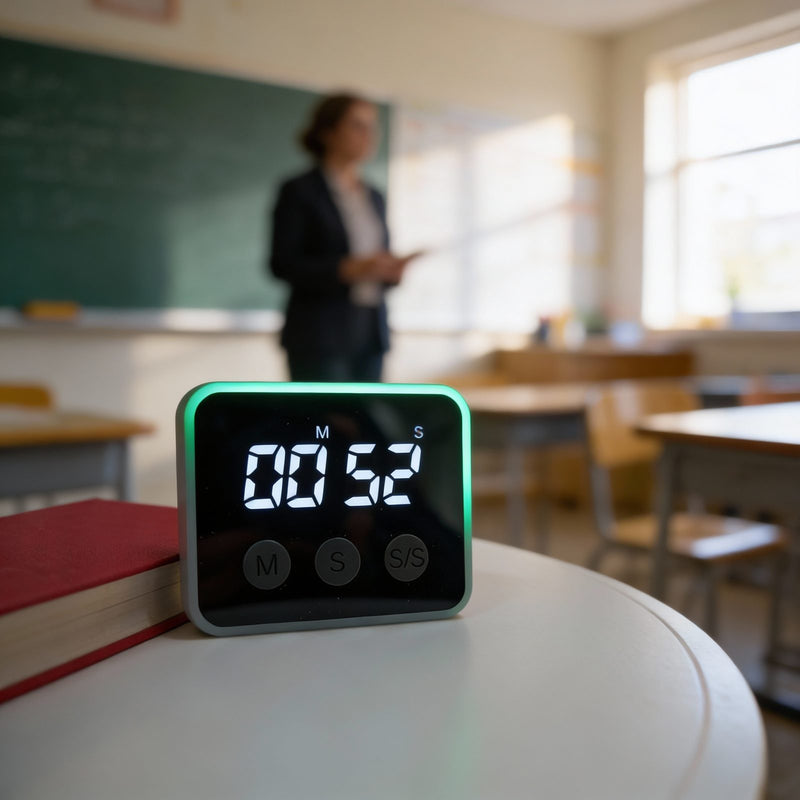
Get 25 kids to transition without raising your voice. Silent, visible from the back row, and calm for sensory-sensitive students.
Upgrade Your Life
What changes when you can see time
We didn't write these. Customers did, in reviews and emails going back to the Kickstarter. Names and words are theirs.
Deep work & focus
Home & routines
Classrooms
Places we didn't expect
"He swore his writing assignment would take 37 minutes. He finished it in 12."
Catherine is a teacher with ADHD and dyslexia. She bought a Looptimer for herself first. It worked, so she brought it into her classroom. Then came the student who couldn't start writing, because starting felt like it would take forever. She set the Looptimer where he could see it. Once he could see his time and the pacing of the light, he got started, and he finished far faster than he thought he would. Looptimer helped him get started.
4.8 stars out of 5 · 80+ verified reviews
Let customers tell it

Meet the Maker
I built this because I needed it.
I'm Cody. I've been a chiropractor for over a decade, I have ADHD, and my clinic ran on timers: five going at once, all beeping, nobody sure whose was whose. I went looking for a timer you could see instead of hear. It didn't exist. Nothing for the deaf community either, which floored me.
So I bought the top 20 timers on Amazon and tested every single one. Then I spent five years building the timer I couldn't find. Every feature on Looptimer exists because something else got it wrong. The goal was never modest: a timer that ruins every other timer for you.
What started as something I needed has turned into a lifelong passion: changing the way the world sees time.
Cody & Pax
Want free shipping on your Looptimer?
The honest version: shipping costs real money, and we already cover part of it on every order. Join the list and we'll cover all of yours. You'll get a free-shipping code, plus first word on what we're building next.
One code per person. Occasional emails about new products and deals, never spam. Unsubscribe anytime.
Done! Your code is on its way to your inbox (give it a minute, and peek at Promotions or spam if it hides).
Hmm, that didn't go through. Mind checking the email and trying again?